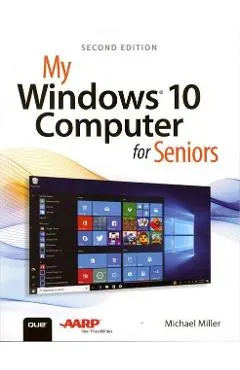
My Windows 10 Computer for Seniors
nMy Microsoft(R) Windows(R) 10 Computer for Seniors is an easy, full-color tutorial on the latest operating system from Microsoft.
Peste minimul din 30 de zile (minim: 108,97 lei)Cel mai bun preț din fiecare magazin
| Magazin | Preț | Istoric | |
|---|---|---|---|
LB Libris ISBN 9780789759788 |
122,59 lei | minim aici: 108,97 lei | Vezi în magazin |
Prețurile sunt preluate automat din feed-urile magazinelor și pot varia; prețul valabil este cel din magazin, la finalizarea comenzii. Linkurile către magazine sunt linkuri de parteneriat — nu îți schimbă prețul și nu influențează ordinea ofertelor.
Evoluția prețului
Ce arată măsurătorile noastre
peste minimCifrele sunt calculate exclusiv din prețurile pe care le-am înregistrat noi, zilnic, la magazinele monitorizate.
Graficul arată cel mai mic preț disponibil în fiecare zi, între toate magazinele monitorizate. Linia verde este minimul din ultimele 30 de zile.
Îți trimitem un e-mail când prețul scade sub 122,59 lei. Îți cerem o confirmare pe e-mail înainte de a-ți trimite orice alertă și te poți dezabona oricând.
Întrebări frecvente
Cât costă My Windows 10 Computer for Seniors?
Cel mai mic preț găsit de noi este 122,59 lei, la Libris. Prețul e verificat zilnic din feed-ul oficial al magazinului.
Este reducerea la My Windows 10 Computer for Seniors una reală?
Nu în acest moment. Prețul de acum, 122,59 lei, este peste minimul de 108,97 lei pe care l-am măsurat în ultimele 30 de zile.
Care a fost cel mai mic preț la My Windows 10 Computer for Seniors?
Cel mai mic preț pe care l-am înregistrat este 108,97 lei, prima dată pe 30 iulie 2026. Îl monitorizăm de 9 zile.
Despre acest produs
nMy Microsoft(R) Windows(R) 10 Computer for Seniors is an easy, full-color tutorial on the latest operating system from Microsoft. nn n nn Veteran author Michael Miller is known for his ability to explain complex topics to everyday readers. Michael wrote this book from the 50+ point of view, using step-by-step instructions and large, full-color photos to cover all the most popular tasks. Miller will help you learn to: nn n nn - Get started with Windows 10, whether you're experienced with computers or not n- Configure Windows 10 to work better for those with vision and physical challenges n- Explore the web with Microsoft's Edge browser and Google Search n- Find, install, and use the best new Windows apps n- Reliably connect to the Internet, both at home and away n- Find online bargains, shop safely, and avoid online scams n- Make and receive video and voice calls with Skype n- Stay connected with friends and family on Facebook and Pinterest n- Capture, touch up, organize, and share your pictures n- Read eBooks on your PC--even enlarge text for greater comfort n- Send and receive email with Windows 10's Email app n- Keep track of all your files, and back them up safely n- Discover great new music with Spotify and Pandora n- Fix common PC and Internet problems n- Search your computer and the Internet--and send and receive text messages--with the Cortana virtual assistant n nn nn
Descriere preluată din fișa produsului de la Libris.
Alte cărți de Michael Miller



Produse similare din Științe & tehnică
Vezi categoria →