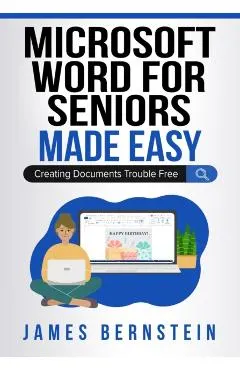
Microsoft Word for Seniors Made Easy: Creating Documents Trouble Free
nNot just for seniors! n nWord processors are one of the most commonly used types of software applications in use today.
A fost și mai ieftin — l-am prins la 111,54 leiCum s-a mișcat prețul
Ce am observat noi
peste minimToate cifrele de mai sus ies din ce am notat noi, în fiecare noapte. Nu le-am luat de nicăieri.
În fiecare zi luăm cel mai mic preț dintre toate magazinele și îl punem pe grafic. Linia verde e cel mai jos a coborât în ultima lună.
Lasă-ne adresa și îți scriem dacă scade sub —. Un singur e-mail, când chiar se întâmplă ceva. Îți cerem întâi o confirmare, și te poți retrage oricând dintr-un click.
Ce zice magazinul despre el
nNot just for seniors! n nWord processors are one of the most commonly used types of software applications in use today. We use them at the office and at home to create documents such as letters, faxes, resumes, brochures, flyers, invoices and more. If you use a computer then there is a very good chance you have also used Microsoft Word to some degree. In fact, many Windows computers will come with Microsoft Office already installed which includes Word and other apps such as Excel, Outlook and PowerPoint.n nThe goal of this book is to get you up and running with Microsoft Word so you can start creating documents and other publications as well as be able to format, print and share them with ease. It takes a step-by-step approach so readers at any skill level will be able to easily follow along. The book covers the basics in detail as well some of the more advanced, but not too advanced topics.n nThe chapters in the book cover the following topics: n nChapter 1 - Word Processor Basics nChapter 2 - Word Tabs and Groups nChapter 3 - Creating a Document nChapter 4 - Formatting nChapter 5 - Reviewing Your Document nChapter 6 - Printing, Sharing and Exporting nChapter 7 - Extras n nAbout the Authorn nJames Bernstein has been working with various companies in the IT field for over 20 years, managing technologies such as SAN and NAS storage, VMware, backups, Windows Servers, Active Directory, DNS, DHCP, Networking, Microsoft Office, Exchange, and more.n nHe has obtained certifications from Microsoft, VMware, CompTIA, ShoreTel, and SNIA, and continues to strive to learn new technologies to further his knowledge on a variety of subjects.n nHe is also the founder of the website OnlineComputerTips.com, which offers its readers valuable information on topics such as Windows, networking, hardware, software, and troubleshooting. Jim writes much of the content himself and adds new content on a regular basis. The site was started in 2005 and is still going strong today.n
Descrierea e luată de la Libris.
Alte cărți de James Bernstein
Produse similare din Științe & tehnică
Vezi categoria →