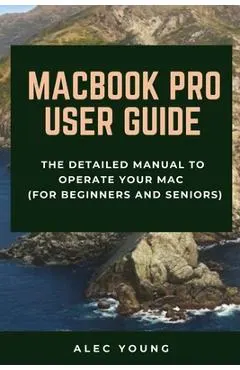
MacBook Pro User Guide: The Detailed Manual to Operate Your Mac (For Beginners and Seniors)
n nIn November 2019, Apple launched the 16-inch MacBook Pro which took the place of the previous 15-inch model.
A fost și mai ieftin — l-am prins la 61,94 leiCum s-a mișcat prețul
Ce am observat noi
peste minimToate cifrele de mai sus ies din ce am notat noi, în fiecare noapte. Nu le-am luat de nicăieri.
În fiecare zi luăm cel mai mic preț dintre toate magazinele și îl punem pe grafic. Linia verde e cel mai jos a coborât în ultima lună.
Lasă-ne adresa și îți scriem dacă scade sub —. Un singur e-mail, când chiar se întâmplă ceva. Îți cerem întâi o confirmare, și te poți retrage oricând dintr-un click.
Ce zice magazinul despre el
n nIn November 2019, Apple launched the 16-inch MacBook Pro which took the place of the previous 15-inch model. Currently, the lineup includes the 16-inch model and the 13-inch model. The features for the 16-inch model include an improved keyboard that has a scissor mechanism rather than a butterfly mechanism, slimmer bezels, bigger 16-inch Retina display, graphics cards from the AMD Radeon Pro 5000M Series, a maximum of 8TB storage space, and a maximum of 64GB RAM.n nIn May 2019, the higher-end 13-inch model was refreshed by Apple, while the entry-level models were refreshed in July 2019, making them comparable to the more expensive choices. The updated features include new quad-core processors, an improved butterfly keyboard, True Tone support, T2 security chip, Touch ID, and Touch Bar.n nThe macOS Catalina which was launched in October 2019, is the latest operating system for the Apple Mac family. The new software brought with it several new exciting features that may seem overwhelming even to existing users. Some of these features include the Screen Time, division of iTunes into 3 separate apps, using the iPad as a second screen, otherwise known as Sidecar and lots more.n nThis user guide contains detailed steps on how to explore all the new features on your computer along with screenshots to make it easy for you to familiarize yourself with the workings of the macOS Catalina. Whether you are just buying a new Mac device or downloading the new software to your existing device, this book would help you to achieve better and faster productivity.n nSome of the things you would learn in this book include: n n- How to Install macOS Catalina n- How to Backup and Restore your Devices on macOS Catalina n- How to Organize the Mac Desktop n- How to Use Find My n- How to Sign Documents on your Devices n- How to Setup Sidecar on your Devices n- How to Use Apple Music in the Music App n- How to Make Use of the Notes App n- How to Use Reminders on Mac n- How to Use the Podcasts App n- How to Sync on macOS Catalina n- How to Use Apple TV App n- How to Use Screen Time on Mac n- How to Use Voice Controls on Mac n- How to Use Safari n- And Lots More...
Descrierea e luată de la Libris.
Produse similare din Științe & tehnică
Vezi categoria →